In real-world data integration projects, especially in cloud migrations and data lake staging, a common requirement is to extract data from multiple database tables and land it into flat files or staging areas.
A straightforward way to solve this is to:
- Create one mapping per source table
- Configure a separate mapping task for each table
While this works, it quickly becomes inefficient and hard to manage as the number of tables grows. You end up maintaining dozens (sometimes hundreds) of mappings and tasks that all follow the same logic but differ only in source and target details.
A better approach is to parameterize the mapping, so the same logic can be reused across tables. However, even with a parameterized mapping, you still need to create multiple mapping tasks, one for each table.
This is exactly where Dynamic Mapping Tasks in Informatica Cloud (IICS) come into play.
Dynamic Mapping Tasks allow you to:
- Reuse a single parameterized mapping
- Configure multiple jobs inside one task
- Reduce asset sprawl and operational overhead
This article explains Dynamic Mapping Tasks from a practical, project-level perspective, based on how they are typically used in Informatica Cloud implementations.
What Is a Dynamic Mapping Task?
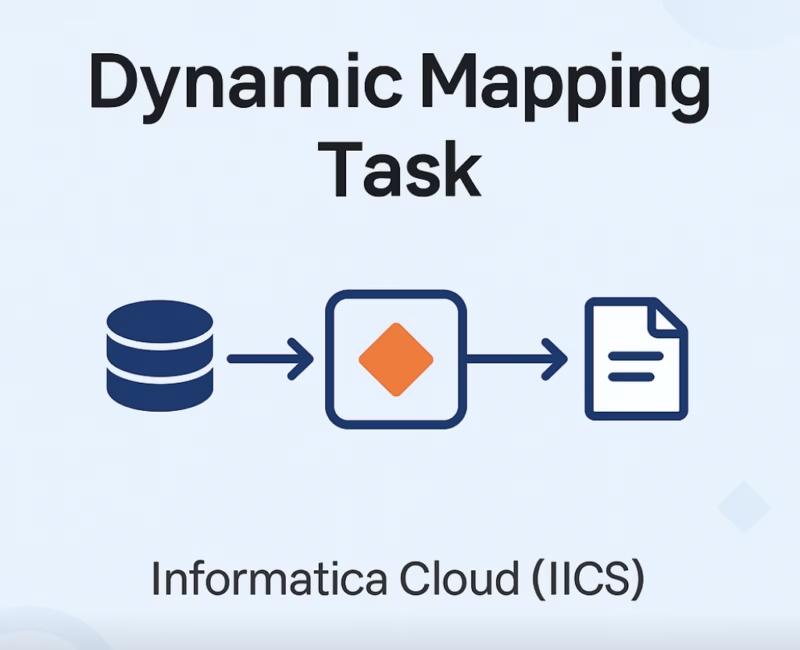
A Dynamic Mapping Task is a single task that can execute multiple jobs, all based on the same mapping, but with different parameter values.
Instead of creating:
- One mapping task per table
You create:
- One mapping
- One dynamic mapping task
- Multiple jobs inside that task
Each job represents one execution of the mapping with its own source, target, or runtime configuration.
This design is officially recommended in Informatica Cloud documentation for scenarios involving high reuse of parameterized mappings, especially in:
- Staging layer loads
- Bulk extraction jobs
- Replication-type workloads
Example Scenario: Parameterized Mapping
Assume we build a single parameterized mapping that reads from a database table and writes to a flat file.
Common Parameters Used
Inside the mapping, we define parameters such as:
- Src_Connection – Source database connection
- Src_Object – Source table name
- Tgt_Connection – Target file connection
- P_FileName – Target file name
These parameters allow the same mapping to work for any table without changing the design.
Practical note:
In some IICS environments (especially trial or limited editions), parameterizing the target object directly may not allow runtime object creation. A common workaround is to derive the file name using an Expression transformation and pass it to the target — something many practitioners do in real projects.
Creating a Dynamic Mapping Task
Step 1: Define the Task
To create a Dynamic Mapping Task in IICS:
- Navigate to New → Tasks
- Select Dynamic Mapping Task
- Configure the basic properties:
- Task name
- Project folder
- Runtime environment (Secure Agent)
- Associated mapping
At this stage, you are simply linking the task to the parameterized mapping.
Configuring Default Parameters
Once the task is created, Informatica automatically lists all mapping parameters in the task configuration.
Each parameter must have a scope, which is critical to how Dynamic Mapping Tasks work.
Parameter Scope Explained
- Default
- Value is shared across all jobs
- Can be overridden at job level if required
- Local
- Must be provided separately for each job
Practical Configuration Example
- Set Source Connection and Target Connection as Default
- Most jobs use the same environment
- Set Source Object and File Name as Local
- These change per table or file
This setup mirrors how most production pipelines are designed.
Jobs and Job Groups: Core of Dynamic Mapping Tasks
What Is a Job?
A Job is one execution of the mapping with a specific set of parameter values.
For example:
- Job_Orders → extracts ORDERS table
- Job_Customers → extracts CUSTOMERS table
- Job_Claims → extracts CLAIMS table
All jobs use the same mapping logic but operate on different objects.
What Is a Job Group?
A Job Group is a logical grouping of jobs that run in parallel.
Key execution behavior:
- Jobs inside a group run concurrently
- Groups run sequentially
This is extremely useful when:
- Some tables are independent and can run in parallel
- Some tables depend on data from earlier loads
There is no practical limit to the number of jobs or groups you can create in a Dynamic Mapping Task.
Job-Level Settings and Controls
Dynamic Mapping Tasks provide granular control at the job level, which makes them production-ready.
You can configure:
- Stop on Error or Warning
- Pre-processing commands (for cleanup or validation)
- Post-processing commands (for file moves, archiving, etc.)
- Source filters and sorting
- Connection-specific advanced options
You can also:
- Disable individual jobs
- Disable entire job groups
- Copy existing jobs to speed up configuration
From an operational standpoint, this makes Dynamic Mapping Tasks far more manageable than dozens of individual mapping tasks.
Runtime Options and Scheduling
Like standard mapping tasks, Dynamic Mapping Tasks support:
- Manual execution
- Scheduled execution
Schedules are managed centrally in Administrator, and the task simply references them.
Dynamic Mapping Tasks can also be embedded into:
- Advanced Taskflows
- End-to-end orchestration pipelines
This aligns with Informatica’s recommended orchestration model for enterprise pipelines.
Key Limitations to Be Aware Of
While Dynamic Mapping Tasks are powerful, there are a few practical considerations:
- Restart behavior
- If one job fails, the task restart begins from the start
- Partial job restart is not currently supported
- Parameter files
- Unlike some traditional approaches, parameter files are not supported directly
- All values must be maintained within the task configuration
- Monitoring
- Job-level monitoring is available, but troubleshooting large job sets requires discipline in naming and grouping
These are not deal-breakers, but they should be factored into design decisions.
When Should You Use Dynamic Mapping Tasks?
Dynamic Mapping Tasks are ideal when:
- You have many similar loads
- The mapping logic is identical
- Only source/target details change
- You want to reduce asset count
- You prefer centralized configuration
In contrast, separate mapping tasks may still make sense when:
- Each load has unique logic
- Restart granularity is critical
- Job-level independence is mandatory
Conclusion
Dynamic Mapping Tasks in Informatica Cloud provide a clean, scalable, and maintainable solution for handling repetitive data integration patterns.
By combining:
- A well-designed parameterized mapping
- Job-based execution inside a single task
You can significantly reduce development effort, simplify operations, and align with Informatica Cloud best practices, as outlined in official IICS documentation.
Few things to keep in mind:
- If any job fails, the task must be restarted from the beginning
- Currently, parameter files are not supported, which may be a limitation for some projects
- Dynamic Mapping Tasks work seamlessly within Advanced Taskflows
In real projects, Dynamic Mapping Tasks are especially effective for staging loads, bulk extracts, and replication-style pipelines, where consistency and reuse matter more than customization.
Also Read: How to Load Unique and Duplicate Records into Separate Targets Using Informatica ETL