
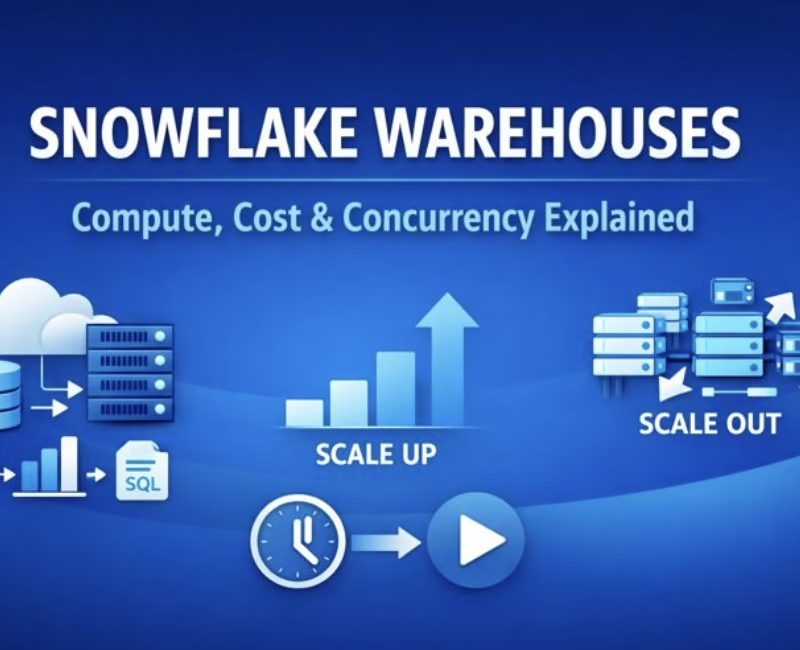
In Snowflake’s architecture, warehouses are not just execution engines they are the economic control knobs of the platform. Every query, transformation, or data load in Snowflake is powered by a warehouse, making their design central to both performance engineering and cost governance.
What Is a Warehouse in Snowflake?
A warehouse is a compute abstraction required to run:
- Queries (SELECT)
- DML operations (INSERT, UPDATE, DELETE, MERGE)
- Data loading operations
Each warehouse is defined by:
- Type (Standard or Snowpark-optimized)
- Size (amount of compute per cluster)
- Operational properties (auto-suspend, auto-resume, concurrency controls)
Warehouses can be started, stopped, resized, or scaled at any time—even while running—allowing organizations to dynamically align compute with workload demand.
Warehouse Size: Where Performance Meets Cost
Warehouse size determines the amount of compute resources per cluster. Snowflake supports sizes ranging from X-Small to 6X-Large.
A defining characteristic is the doubling rule:
Each increase in warehouse size doubles the compute capacity and doubles the credit consumption.
For example:
- X-Small → 1 credit/hour
- Small → 2 credits/hour
- Medium → 4 credits/hour
- X-Large → 16 credits/hour
- 5X-Large → 256 credits/hour
Snowflake uses per-second billing (with a 60-second minimum), ensuring customers are billed only for actual usage—not provisioned capacity.

Interview insight:
This predictable scaling model simplifies capacity planning compared to traditional data warehouses.
Gen1 vs Gen2 Warehouses: A Quiet Evolution
The credit figures commonly referenced apply to Generation 1 (Gen1) standard warehouses. Snowflake has introduced Gen2 warehouses, which offer improved performance characteristics and different consumption metrics.
However:
- Gen2 is not yet the default
- Availability varies by cloud provider and region
Understanding this distinction signals documentation-level depth in interviews.
Scaling Without Resizing: Multi-Cluster Warehouses
Warehouse capacity can also be scaled without changing size by enabling multi-cluster mode.
- Multiple clusters operate under one warehouse
- Clusters start automatically during peak demand
- Extra clusters shut down during low usage
This feature is designed to handle query concurrency, not faster single-query execution, and is available only in the Enterprise Edition.
Economic framing:
Multi-cluster warehouses convert concurrency spikes into a temporary, usage-based cost, rather than a permanent infrastructure decision.
Credit Usage and Billing: Time Matters More Than Size
Total credit consumption depends on how long a warehouse runs continuously. A larger warehouse running briefly can cost less than a smaller warehouse running longer.
For example:
- An X-Small warehouse running for 1 hour → 1 credit
- A 5X-Large warehouse running for 10 minutes → ~42.6 credits
For multi-cluster warehouses, credits are calculated as:
Warehouse size × number of active clusters × time
This makes run-time discipline as important as sizing.
Impact on Data Loading: Bigger Is Not Always Better
Contrary to intuition, larger warehouses do not always improve data loading performance.
Data loading efficiency depends more on:
- Number of files
- Size of each file
- Parallelism in ingestion
For most workloads:
- Small, Medium, or Large warehouses are sufficient
- X-Large or above may increase cost without improving performance
Interview takeaway:
Scaling data loads is usually about file strategy, not warehouse size.
Impact on Query Processing
Warehouse size has a clearer impact on complex query execution:
- Larger warehouses provide more CPU and memory
- Complex joins, aggregations, and transformations benefit the most
However:
- Small, simple queries do not always run faster on large warehouses
Resizing a warehouse does not affect currently running queries, but newly queued or submitted queries immediately benefit from the additional compute.
Auto-Suspend and Auto-Resume: Built-In Cost Control
Snowflake warehouses support automatic lifecycle management:
- Auto-suspend pauses the warehouse after inactivity
- Auto-resume restarts it when a query arrives
These features ensure:
- No credits are consumed during idle periods
- Warehouses are always available when needed
For multi-cluster warehouses, auto-suspend applies only when the minimum number of clusters is running and the warehouse is inactive.
Query Concurrency and Queuing
Concurrency depends on:
- Warehouse size
- Query complexity
When resources are exhausted:
- Queries are queued, not rejected
Snowflake provides parameters such as:
STATEMENT_QUEUED_TIMEOUT_IN_SECONDSSTATEMENT_TIMEOUT_IN_SECONDS
If queuing becomes frequent:
- Resize the warehouse (limited concurrency gain)
- Create additional warehouses
- Prefer multi-cluster warehouses for automated concurrency scaling
Warehouses and Sessions: How Queries Get Compute
A Snowflake session does not have a warehouse by default. Queries can only run after a warehouse is assigned.
Default Warehouse Resolution Order
- Default warehouse assigned to the user
- Default warehouse in client configuration (SnowSQL, JDBC, etc.)
- Warehouse specified via command line or connection parameters
This precedence order is often tested in scenario-based interviews.
Special Case: Notebooks and Cost Efficiency
Snowflake automatically provisions a system-managed warehouse:
SYSTEM$STREAMLIT_NOTEBOOK_WH- Multi-cluster X-Small
- Optimized for notebook workloads
- Uses improved bin-packing
Snowflake recommends:
- Using this warehouse only for notebooks
- Redirecting SQL queries to a separate customer-managed warehouse
- Separating Python notebook workloads from heavy SQL analytics to avoid cluster fragmentation
This reflects Snowflake’s emphasis on fine-grained cost optimization even for emerging workloads.
Snowflake warehouses represent a shift in how compute is consumed—from static capacity to elastic, metered usage. They give engineers the tools to balance performance, concurrency, and cost with precision.
In interviews, explaining warehouses well demonstrates:
- Architectural clarity
- Cost-awareness
- Enterprise-scale thinking
And in production, it often determines whether a Snowflake deployment is merely functional—or financially efficient.
Also Read :Snowflake Clustering Keys: Performance Optimization Explained


