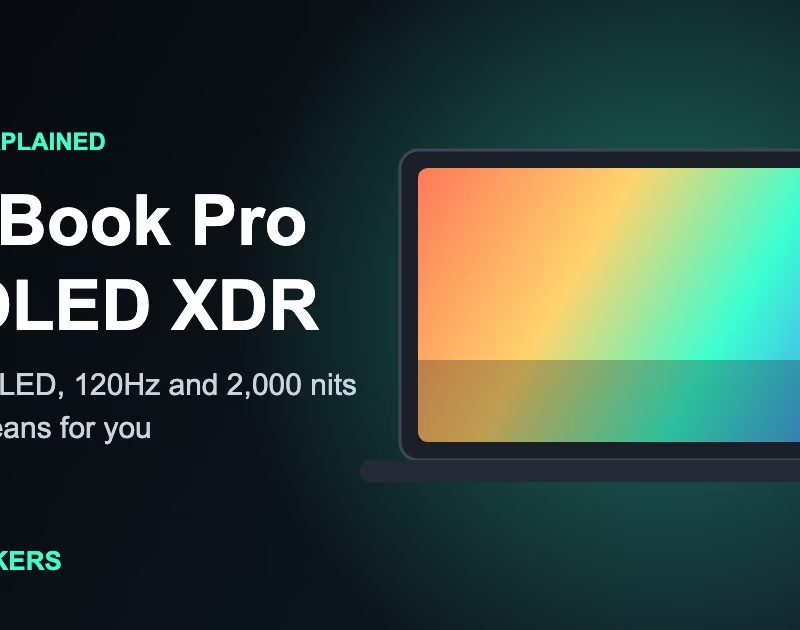
Laptop screens used to be an afterthought. Now the display is one of the main reasons people pick a MacBook Pro. In this guide to the MacBook Pro PROLED XDR display, I explain in simple words what the screen is, what the numbers mean, and who should care.
All the specs below come from Apple’s own India product page. I have not tested the laptop myself. The pictures and diagrams in this article are my own illustrations, not Apple’s artwork.
What is the PROLED XDR display?
PROLED XDR is the name for the new MacBook Pro screen. Apple describes it as a tandem OLED panel. Unlike the older Liquid Retina XDR screen, which uses mini-LED backlighting, an OLED panel makes its own light in every pixel.
Apple lists these headline figures for it: up to 1,000 nits of sustained full-screen brightness, up to 2,000 nits of peak HDR brightness, a 10,000,000:1 contrast ratio, and a 10–120Hz adaptive refresh rate.
Quick facts at a glance
What does tandem OLED mean?
Think of an OLED pixel as a tiny light. In a tandem design, two light-emitting layers are stacked on top of each other. Stacking lets the panel reach higher brightness without pushing one layer too hard. The diagram below is a simple picture of that idea.
Tandem OLED stacks two light-emitting layers so the panel can get brighter.
Compare it with the mini-LED model
Apple shows both screens side by side, so I turned its numbers into a small tool. Tap a button and watch the bars change.
Figures are the ones Apple lists on its India product page. Tap a button to switch.
Brightness and contrast: why they matter
A nit is a measure of brightness. Sustained brightness is what the screen can hold for a long time across the whole picture. Peak brightness is a short burst, like the sun glinting on water in an HDR video. Apple lists 1,000 nits sustained and up to 2,000 nits peak for the PROLED XDR.
Contrast is the gap between the darkest and the brightest parts. Apple lists 10,000,000:1 for the new screen and 1,000,000:1 for the mini-LED one. A higher number should mean deeper blacks next to bright highlights, which helps movies and dark scenes.
120Hz ProMotion: smoother motion
Refresh rate is how many times the screen updates every second. Apple lists adaptive ProMotion from 10Hz to 120Hz, meaning the screen speeds up when you scroll or play games and slows down for still content. Try the demo to see the difference.
Anti-glare and nano-texture glass
Every screen reflects light. Apple lists a standard anti-reflective coating and an optional nano-texture glass that reduces reflections and glare further. If you work near a window or outdoors, it is worth looking at both in a store.
Touch on a MacBook Pro
This is a big change. Apple lists touch as available on the PROLED XDR model, with the touch sensor built into the display panel. The mini-LED model does not have it.
Which display is right for you?
Pick your main use and the tool shows what to focus on.
Things to check before you buy
- Resolution and pixel density: the Apple page I used does not list them, so read the full tech specs.
- Screen sizes: Apple’s page gives slightly different inch figures in different places, so confirm the exact size for the model you want.
- Price and availability in India: I have not listed prices because they can change.
- Brightness figures: Apple notes sustained brightness depends on conditions, such as temperature.
Frequently asked questions
1What is the PROLED XDR display?
+
It is the name Apple gives to the tandem OLED screen on the MacBook Pro. Apple lists up to 1,000 nits of sustained full-screen brightness and up to 2,000 nits at peak.
2Is it better than the Liquid Retina XDR mini-LED display?
+
On paper it lists higher peak brightness (2,000 vs 1,600 nits), a higher contrast ratio and touch support. Both list 1,000 nits sustained full-screen brightness. Which is better for you depends on price, chip and how you use the laptop.
3Does the MacBook Pro have a 120Hz screen?
+
Apple lists adaptive ProMotion that runs from 10Hz to 120Hz. The screen changes its speed to suit what you are doing.
4What is nano-texture glass?
+
It is an optional finish that reduces reflections and glare further than the standard anti-reflective coating. Try it in person if you can, because it changes how the screen looks.
5Does it have a touch screen?
+
Apple lists touch as available on the PROLED XDR model and not available on the Liquid Retina XDR mini-LED model.
6Does the page give the resolution?
+
No. The Apple page I used does not list resolution or pixel density, so check the full tech specs before you buy.
Test your knowledge
1. Which display technology does the PROLED XDR use?
2. What sustained full-screen brightness does Apple list for the PROLED XDR?
3. What refresh range does ProMotion cover on this display?
4. Which of the two displays does Apple list with touch?
Final thoughts
The MacBook Pro PROLED XDR display looks like a real step up on paper, with higher peak brightness, higher contrast and touch. The mini-LED model still lists strong sustained brightness. Compare them in a store if you can, and check Apple’s official page for the latest details.
This article is an independent explainer based on information published by Apple. It is not sponsored or endorsed by Apple. Apple, MacBook Pro and related names are trademarks of Apple Inc. Specifications can change, so confirm details on Apple’s website before buying.