
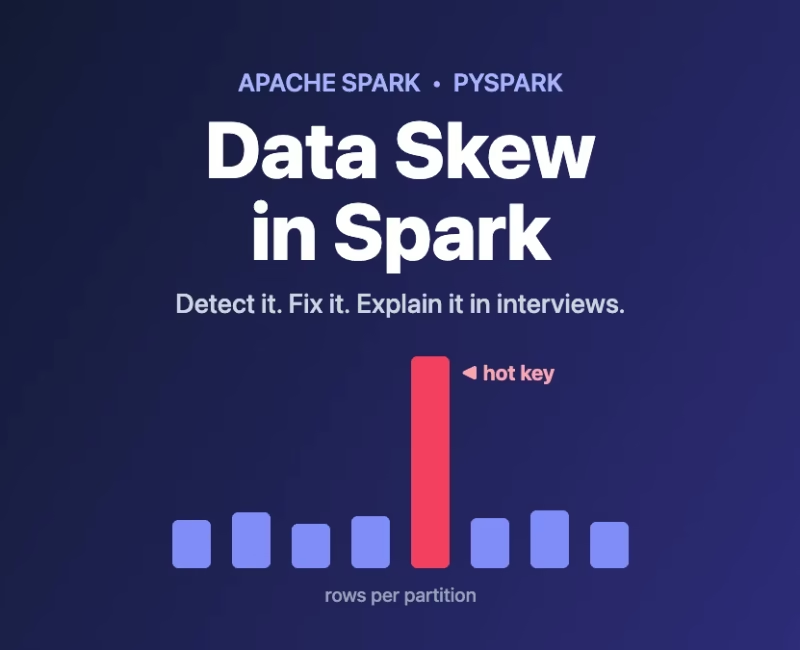
You run a Spark job. 199 tasks finish in a few seconds. However, one task keeps running… and running… for 40 minutes. The Spark web interface shows a progress bar stuck at 199/200. Sounds familiar? That one slow task is almost always caused by data skew. It is one of the most common real-world problems in big data pipelines. It is also one of the most asked topics in data engineering interviews. So, let’s break it down in simple words.
⚡ Quick Summary
- Problem: A few keys hold most of the rows, so a few tasks do most of the work
- Detect: Key counts plus the Spark web interface (Max vs Median task time)
- Quick fixes: AQE skew join, broadcast join, NULL key handling
- Heavy fix: Salting for big-to-big joins and skewed
groupBy
What Is Data Skew in Spark?
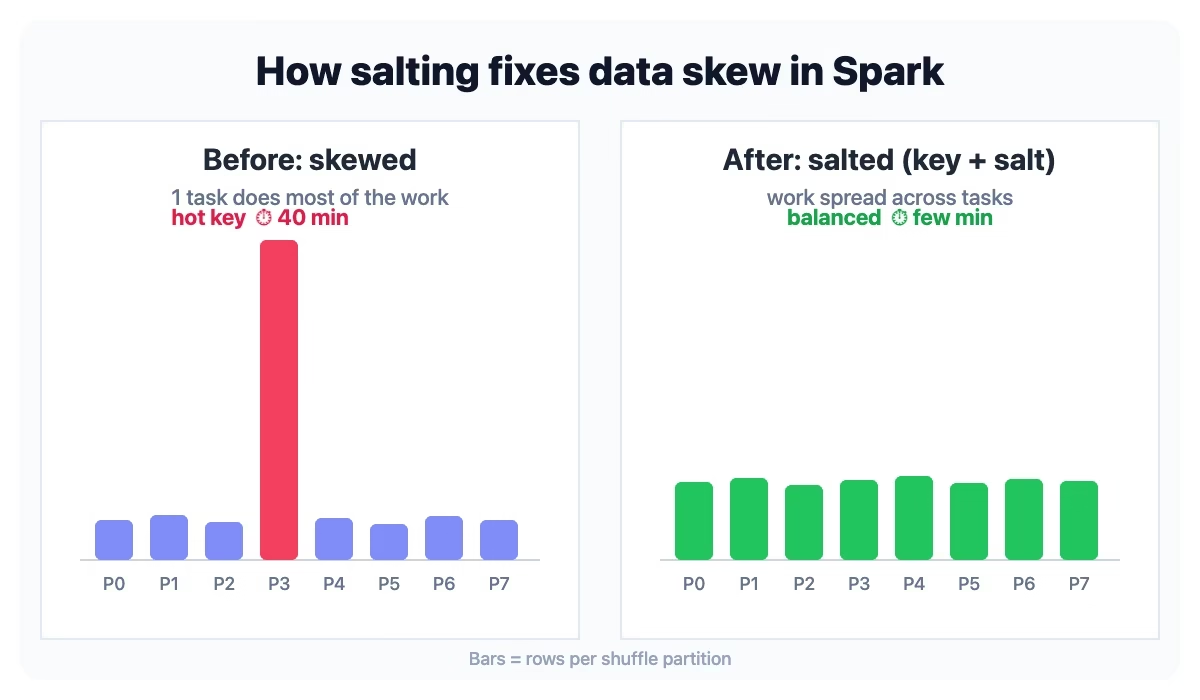
Spark splits your data into partitions. Then it gives each partition to one task. During a join or a groupBy, Spark shuffles the data. As a result, all rows with the same key land in the same partition.
Now imagine an e-commerce orders table. Most customers have 10–50 orders. But one bulk buyer (or a “guest” / NULL customer_id) has 50 million orders. After the shuffle, that one key goes to one partition. Consequently, that partition becomes huge, and the single task processing it becomes the bottleneck. This is data skew.
Here is a simple analogy. A supermarket has 10 cashiers, but 90% of customers stand in one queue. Meanwhile, the other 9 cashiers sit idle. Still, the shop closes only when the last queue is done.
Common Signs of Data Skew
- One or two tasks in a stage take much longer than the others. Check the Spark web interface → Stages → task duration “Max” vs “Median”.
- The shuffle read size of one task is far bigger than the rest.
- Executor out-of-memory errors or heavy disk spill appear on only a few tasks.
- The job gets slower as data grows, even after adding more executors.
How to Detect Data Skew With Code
First, find out which keys are “hot”. In fact, a simple count per key tells you a lot:
from pyspark.sql import functions as F

# Top 5 most frequent join keys
(orders
    .groupBy("customer_id")
    .count()
    .orderBy(F.desc("count"))
    .show(5))

# Rows per partition (big gaps = skew)
(orders
    .withColumn("partition_id", F.spark_partition_id())
    .groupBy("partition_id")
    .count()
    .orderBy(F.desc("count"))
    .show(5))
Similarly, you can run the same check in SQL:
SELECT customer_id, COUNT(*) AS cnt
FROM orders
GROUP BY customer_id
ORDER BY cnt DESC
LIMIT 5;
For example, the top key may have millions of rows while the average key has a few hundred. In that case, you have found your data skew.
Fix 1: Let AQE Handle Data Skew Joins
Adaptive Query Execution (AQE) re-plans a query while it runs, using real shuffle statistics. As per the Apache Spark documentation, AQE is enabled by default since Spark 3.2.0. One of its features is skew join optimization for sort-merge joins. Specifically, Spark splits a very large partition into smaller sub-partitions. Then it joins each one with the matching partition from the other side.
Here are the key settings, with defaults as per the Spark docs:
spark.conf.set("spark.sql.adaptive.enabled", "true")            # default true
spark.conf.set("spark.sql.adaptive.skewJoin.enabled", "true")   # default true

# A partition is treated as skewed only if it is BOTH:
#   bigger than factor x median partition size (default 5.0)
#   AND bigger than the threshold (default 256MB)
spark.conf.set("spark.sql.adaptive.skewJoin.skewedPartitionFactor", "5.0")
spark.conf.set("spark.sql.adaptive.skewJoin.skewedPartitionThresholdInBytes", "256MB")

# Target size used when splitting/coalescing (default 64MB)
spark.conf.set("spark.sql.adaptive.advisoryPartitionSizeInBytes", "64MB")
Tip: Say your skewed partition is 200 MB. With default settings, AQE will not touch it, because it is below 256 MB. So, lowering the threshold can help in such cases. Always test on real data before changing settings in production.
Limitations to remember: AQE skew handling works on shuffle-based sort-merge joins. However, it does not fix data skew inside a groupBy aggregation or a window function. For those, you need the manual techniques below.
Fix 2: Broadcast the Small Table
Sometimes one side of the join is small, like a dimension table such as customers or country_codes. In that case, broadcast it. Spark sends a full copy of the small table to every executor, so the big table is not shuffled at all. In short, no shuffle means no skewed shuffle partition.
from pyspark.sql.functions import broadcast

result = orders.join(broadcast(customers), on="customer_id", how="left")
We covered this in detail in our Broadcast Join PySpark guide.
Fix 3: Handle NULL and Dummy Keys Separately
Very often, the “hot” key is NULL, 0, -1 or 'UNKNOWN'. In an inner join, NULL keys never match anyway. Therefore, filter them out before the join. In a left join, split the data first. Next, join only the non-null rows. Finally, union the null rows back.
non_null = orders.filter(F.col("customer_id").isNotNull())
null_rows = orders.filter(F.col("customer_id").isNull())

joined = non_null.join(customers, "customer_id", "left")

# Add empty customer columns to null rows, then union
result = joined.unionByName(null_rows, allowMissingColumns=True)
Fix 4: Salting, the Data Skew Interview Favorite
Sometimes both tables are large and AQE is not enough. In that case, use salting. The idea is simple. You add a random number (the “salt”) to the hot key. As a result, one giant key becomes many smaller keys, spread across many partitions.
- On the big (skewed) table, add a random salt from 0 to N-1.
- On the other table, copy every row N times, once for each salt value.
- Join on
(key, salt)instead of justkey.
from pyspark.sql import functions as F

SALT_BUCKETS = 10

# Step 1: random salt 0..9 on the skewed big table
orders_salted = orders.withColumn(
    "salt", (F.rand(seed=42) * SALT_BUCKETS).cast("int")
)

# Step 2: replicate each customer row 10 times (salt 0..9)
customers_salted = customers.withColumn(
    "salt", F.explode(F.array([F.lit(i) for i in range(SALT_BUCKETS)]))
)

# Step 3: join on key + salt, then drop the helper column
result = (orders_salted
    .join(customers_salted, on=["customer_id", "salt"], how="inner")
    .drop("salt"))
The trade-off: the smaller table grows N times. So, pick N carefully. For instance, 10–50 is a common starting point. If possible, also salt only the hot keys instead of every key.
Salting a Skewed groupBy (Two-Stage Aggregation)
For aggregations, first aggregate on (key, salt). Then aggregate again on key. This works for SUM, COUNT, MIN and MAX. For AVG, however, sum and count separately, then divide.
stage1 = (sales
    .withColumn("salt", (F.rand() * SALT_BUCKETS).cast("int"))
    .groupBy("store_id", "salt")
    .agg(F.sum("amount").alias("partial_sum")))

result = (stage1
    .groupBy("store_id")
    .agg(F.sum("partial_sum").alias("total_amount")))
Likewise, here is the same idea in Spark SQL:
SELECT store_id, SUM(partial_sum) AS total_amount
FROM (
    SELECT store_id, salt, SUM(amount) AS partial_sum
    FROM (
        SELECT store_id, amount, FLOOR(RAND() * 10) AS salt
        FROM sales
    ) s
    GROUP BY store_id, salt
) t
GROUP BY store_id;
Which Data Skew Fix Should You Use?
Here is a quick decision guide:
- Small table on one side? → Broadcast join.
- Hot key is NULL / dummy? → Filter or split it out.
- Big-to-big sort-merge join on Spark 3 or later? → Check AQE is on, then tune the skew threshold.
- Skewed groupBy, or AQE still not enough? → Salting.
- Skewed output files when writing? → Try the
REBALANCEhint, which splits skewed partitions when AQE is enabled.
Also, if you want to control partition counts before a write, read our guide on repartition vs coalesce.
🎮 Spark Quiz: Test Your Data Skew Skills
Now, see how much you learned with five quick questions.
Key Takeaways on Data Skew
- Data skew means a few keys hold most of the rows, so a few tasks do most of the work.
- Detect it with key counts and the Spark web interface (Max vs Median task time).
- Adding more executors does not fix data skew, because the hot partition is still handled by one task.
- Try the cheap fixes first (AQE, broadcast, null handling), then salting.
- In interviews, explain the problem, how you detected it, the fix, and the trade-off.
Interview Questions on Data Skew
- What is data skew, and how do you identify it in the Spark web interface?
- Why doesn’t increasing the number of executors fix a skewed join?
- Explain salting. What is the cost of using it?
- How does AQE decide whether a partition is skewed?
- How would you handle skew in a
groupByinstead of a join? - When would you prefer a broadcast join over salting?
Frequently Asked Questions (FAQ)
1. Is AQE enabled by default?
Yes. According to the Apache Spark documentation, AQE has been on by default since Spark 3.2.0. Skew join handling is also on by default.
2. Does repartition() fix data skew?
Not by itself. repartition("key") still puts all rows of a hot key into one partition. On the other hand, a plain repartition(n) spreads rows evenly. But the skew comes back at the next join or groupBy on that key.
3. How many salt buckets should I use?
There is no fixed rule. Start small (around 10) and check task times in the Spark web interface. Then increase only if the hot partition is still much larger than the rest. Remember, more buckets means a bigger replicated table.
4. Can salting change my results?
Not if done correctly. In a salted join, each big-table row matches exactly one copy of the small-table row. Still, always drop the salt column and compare row counts with the unsalted version during testing.
5. Is there a SKEW hint in Apache Spark?
The open-source Spark hints page lists BROADCAST, MERGE, SHUFFLE_HASH, SHUFFLE_REPLICATE_NL and partitioning hints like REBALANCE. However, it has no SKEW hint. Some platforms, such as Databricks, have documented their own skew hint in the past. So, check your platform’s docs.